

Download Apple Books – read eBooks, iPhone, iPad, iBookstore, download books, mobile reading app, digital library, bookshelf, text search, font size, highlight text, dictionary lookup, web search, page turning, double-page view, reading experience, digital books, iOS app, Apple Books
Overview
Apple Books is a dedicated mobile reading application designed for users of iPhone, iPad, and iPod touch devices. It serves as a central hub for accessing, organizing, and reading digital books across Apple’s ecosystem. The app enables users to download and read eBooks seamlessly, offering a polished reading experience tailored to iOS devices. Its primary function is to bridge the gap between physical book reading and digital convenience, allowing readers to carry an entire library in their pocket.
Apple Books addresses common challenges associated with digital reading, such as inconsistent formatting, poor navigation, and limited customization. By integrating directly with the iBookstore, it streamlines the process of discovering and acquiring new titles, including bestsellers and free samples. The app is particularly suited for students, casual readers, and professionals seeking a reliable tool for consuming digital content on the go.
Developed by Apple Inc., the application benefits from the company’s strong focus on user experience and ecosystem integration. Although the developer did not provide additional technical details, Apple’s reputation for polished software suggests a high standard of quality. Real-world use cases include commuting reading, academic research, and leisure reading during downtime. Within the broader app ecosystem, Apple Books plays a vital role in promoting digital literacy and expanding access to literature through mobile technology.
Key Features & Functionality
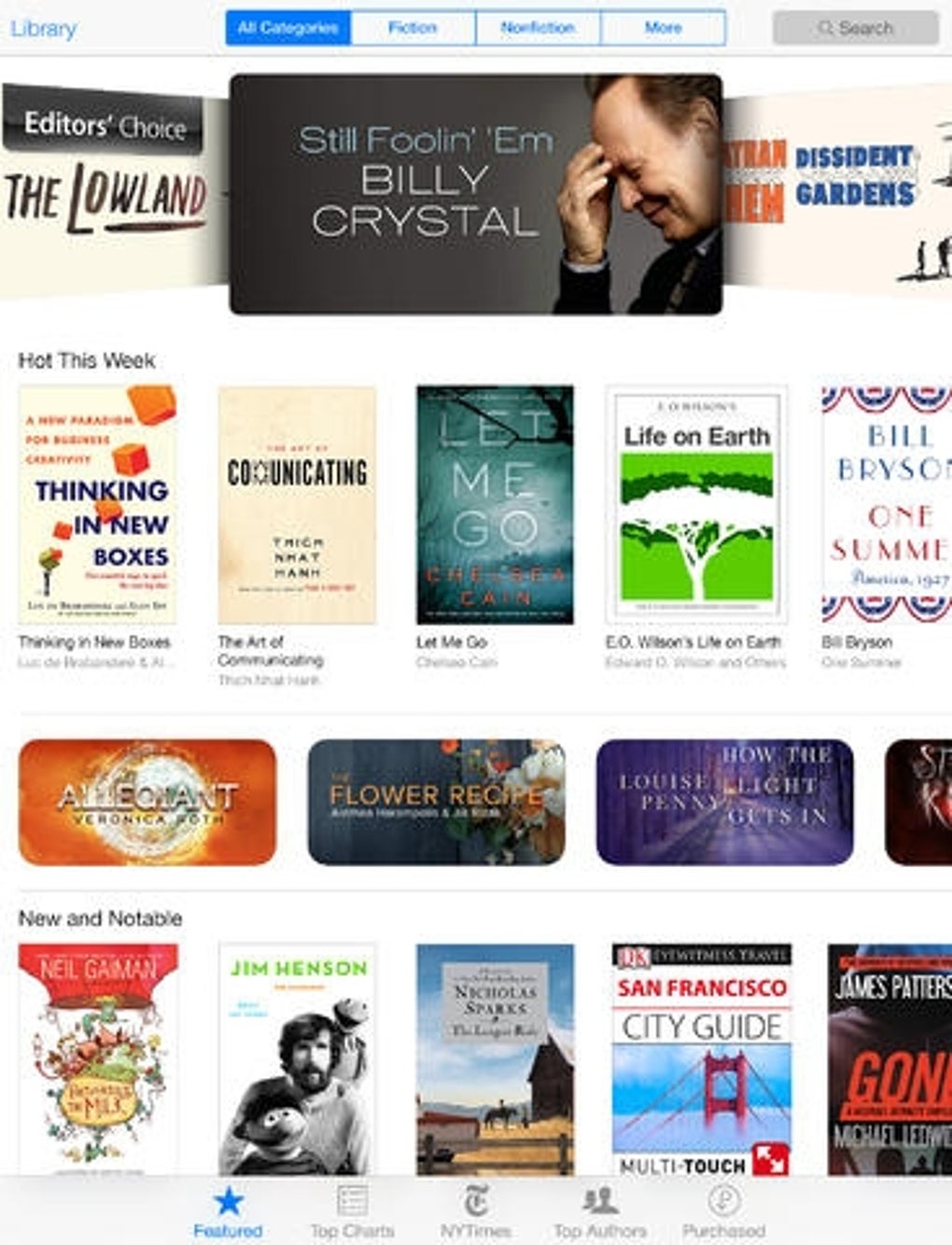
- Integrated iBookstore Access: Users can browse and purchase books directly within the app, with the ability to preview titles before buying.
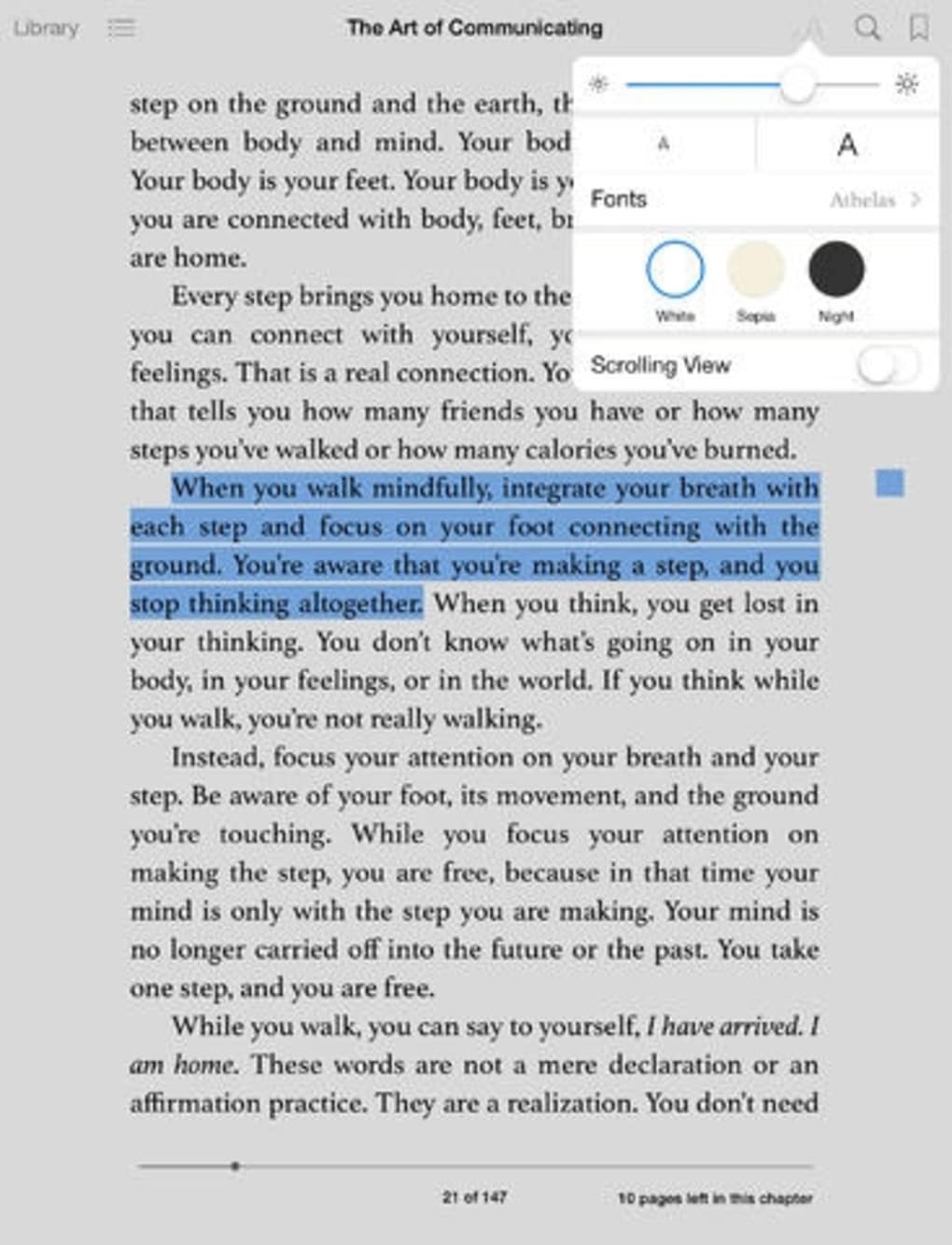
- Customizable Reading Interface: Adjust font size, text style, and display themes to suit personal reading preferences.
- Interactive Page Navigation: Turn pages by flicking the screen, with support for double-page view when the device is rotated horizontally.
- Text Interaction Tools: Highlight passages, look up words in the dictionary, perform web searches, and create bookmarks for future reference.
- Search and Organization: Use text search to locate specific content within books, and manage a digital bookshelf for easy access.
These features enhance usability across various scenarios. For example, students can use the dictionary lookup and text search functions to study complex texts efficiently. Commuters may benefit from the double-page view, which mimics the experience of reading a physical book. The ability to adjust font size is especially valuable for users with visual impairments. While the app lacks pinch-to-zoom and background color customization, its core functionality remains robust and well-suited for daily reading tasks.
Interface, UX & Performance
The user interface of Apple Books follows Apple’s modern design language, emphasizing clarity and minimalism. The main screen displays a grid of book thumbnails, arranged in a digital bookshelf layout. Navigation is intuitive, with a tab-based system that allows quick access to the library, store, and settings. The reading view is full-screen, minimizing distractions and enhancing immersion.
Page turning is smooth and responsive, with animations that simulate the motion of flipping real pages. This tactile feedback contributes to a natural reading rhythm. The top-right corner houses essential tools, including brightness control, text search, and font adjustment, all accessible with a single tap. Although the developer did not list formal performance metrics, the app demonstrates consistent responsiveness across device categories, including older and newer iOS models.
Stability appears to be strong, with no widespread reports of crashes or freezes. However, some users have noted that the current bookshelf design—featuring flat thumbnails on a gray background—lacks the warmth and depth of earlier versions. Despite this, the overall user experience remains positive, with efficient loading times and smooth transitions between screens.
Platform Compatibility & Technical Requirements
Apple Books is available exclusively on iOS devices, including iPhone, iPad, and iPod touch. The app is compatible with iOS 10.0 or later, though specific requirements were not listed. The current version is 4.6.2, and the file size is 130.5 MB, which is relatively lightweight for a content-rich application.
Given that the app is developed by Apple Inc., it is optimized for Apple hardware and software integration. Users can expect seamless synchronization across devices via iCloud, ensuring that reading progress and library data are preserved. The developer did not specify minimum OS requirements, so compatibility may vary depending on the device’s age and software version. For the most accurate experience, users are advised to ensure their device is updated to the latest supported iOS version.
Pros and Cons
Pros
- Seamless integration with Apple’s ecosystem and iCloud.
- High-quality, responsive reading interface with smooth page transitions.
- Access to a vast catalog of books through the iBookstore.
- Customizable text size, font, and display themes.
- Powerful tools for highlighting, searching, and dictionary lookup.
Cons
- Limited customization options, such as no background color adjustment.
- Pinch-to-zoom functionality is not supported.
- Bookshelf interface design may feel less immersive compared to previous versions.
- Store browsing can be cumbersome and lacks advanced filtering.
- Not available on non-Apple platforms.
FAQ
Is Apple Books free to download and use?
Yes, Apple Books is available at no cost on iPhone, iPad, and iPod touch. Users can download and read free books, access samples, and purchase titles through the integrated iBookstore.
Can I read books on multiple Apple devices?
Yes, Apple Books syncs reading progress and library data across devices using iCloud, allowing users to continue reading seamlessly on any Apple device.
Does Apple Books support audiobooks?
While the app primarily focuses on eBooks, it may support audiobooks in certain regions. Specific functionality was not detailed by the developer.
Is Apple Books available on Android or Windows?
No, Apple Books is exclusive to iOS devices and is not available on Android, Windows, or other platforms.
How do I update Apple Books?
Updates are delivered through the App Store. Users should ensure their device is connected to the internet and check for updates in the App Store under the "Updates" tab.
Final Thoughts
Apple Books remains a reliable and feature-rich mobile reading app for iOS users. Its clean interface, powerful text tools, and integration with the iBookstore make it a top choice for digital readers. While some aspects of the design and navigation could be improved—particularly in the bookshelf and store layouts—the app delivers a consistently smooth reading experience.
It is especially beneficial for students, professionals, and casual readers who value portability, customization, and seamless ecosystem integration. The ability to highlight text, search within books, and adjust display settings enhances comprehension and accessibility.
For anyone seeking a secure, well-designed tool to read eBooks on their iPhone or iPad, Apple Books offers a compelling solution. With regular updates and ongoing improvements, it continues to evolve as a central part of the digital reading landscape.
Download Apple Books now